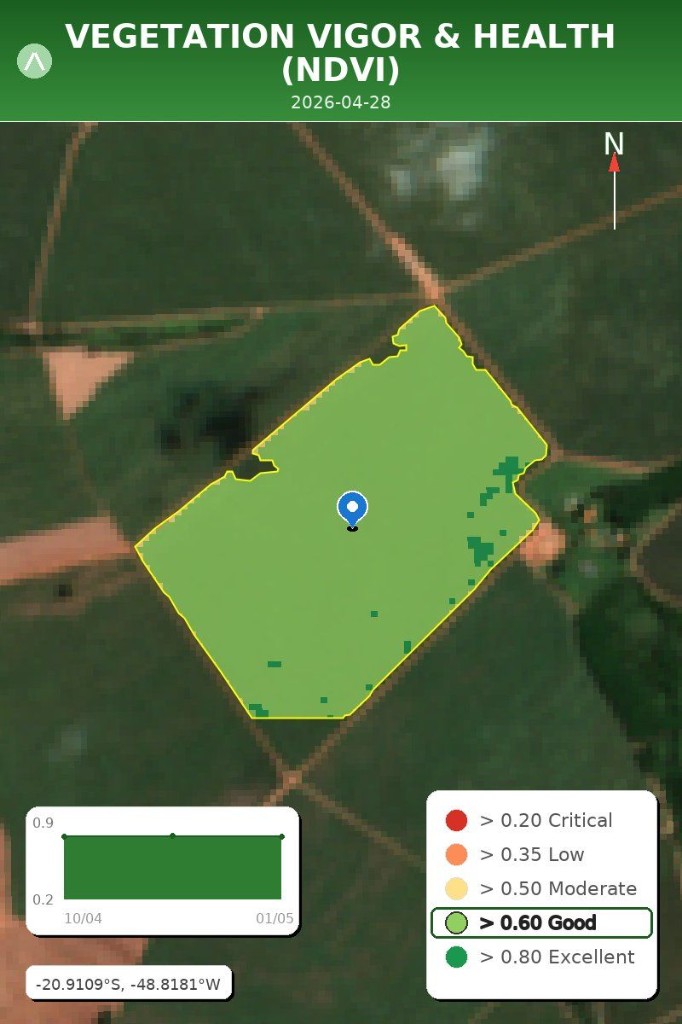
Crop Health
Shows vegetation vigor across the field. In the sample, the corn is very healthy for its growth stage and stable over four weeks.
User manual
This guide shows how to register a field, read the satellite reports, send crop photos, check weather, and change your settings.
First setup
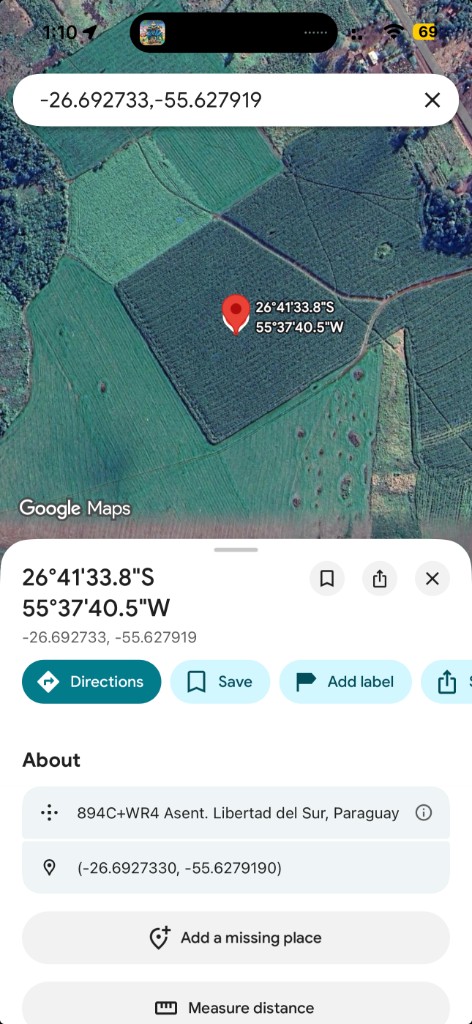
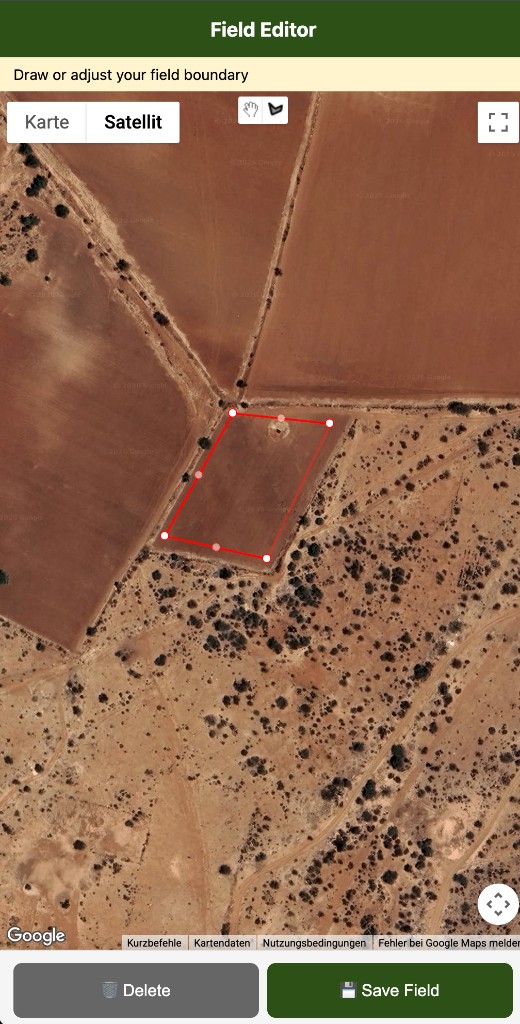
arandu guides you step by step. Open Google Maps from the button, drop a pin inside the field, confirm the detected boundary, and choose your crop.
Tap Open Maps, drop a pin inside the field, and share it back here. You can also send a WhatsApp location.
When the satellite detection finishes, tap Yes or No on the WhatsApp buttons.
Give the field a simple name and tap your crop in the WhatsApp option menu.
arandu estimates the season start from satellite data. Tap Yes to accept it, or No to enter the real date.
Main menu
After setup, tap an option in the WhatsApp menu (open View options for longer lists). arandu sends a short answer first and a heatmap image when available. Typing the number still works if you prefer.
Sample reports
Each report combines a short WhatsApp explanation with a field image. Use the color legend to read the map, and the trend chart below it to see recent movement. Menus 1–5 use growth-stage thresholds and a 4-week trend—not a 5-year historical benchmark. The image date tells you how recent the satellite or radar data is.
Most satellite reports follow the same structure so you can scan them quickly in WhatsApp.
Shows vegetation vigor across the field. In the sample, the corn is very healthy for its growth stage and stable over four weeks.
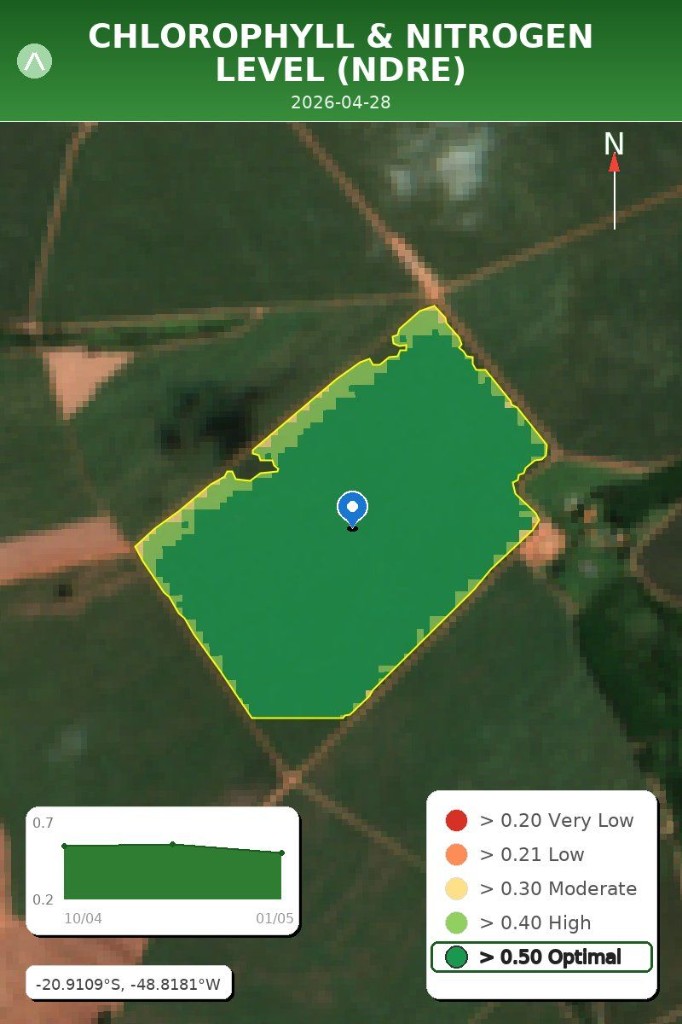
Highlights chlorophyll and nutrient signals. The sample shows optimal levels across the field, with no immediate action needed.
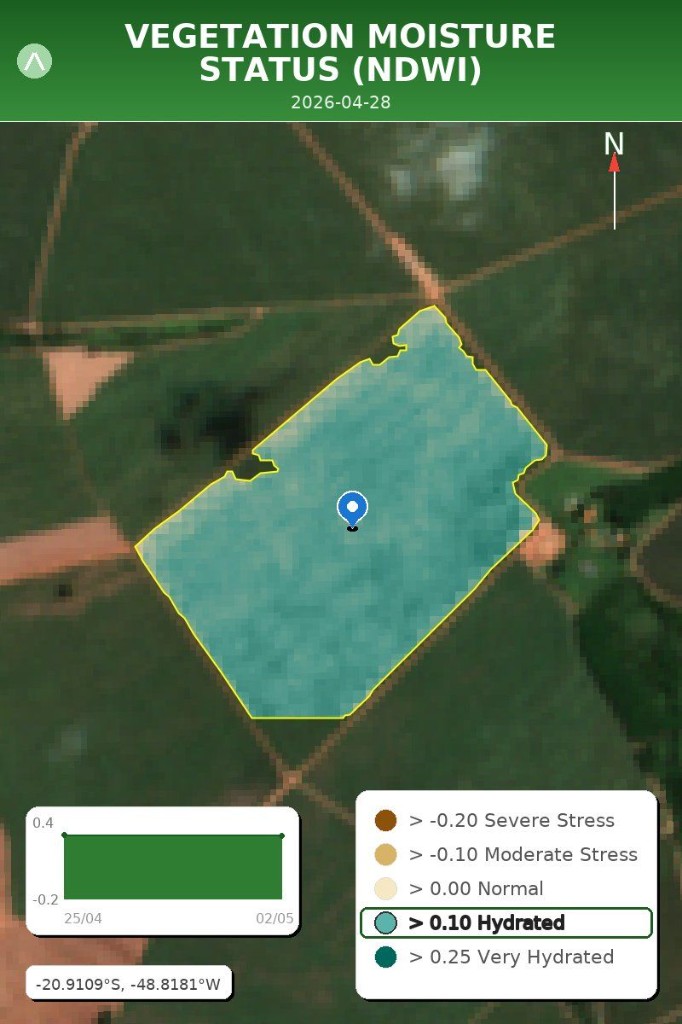
Checks whether plants are holding moisture. In the sample, the field is well-hydrated for its growth stage, with no dry-spell alert active.
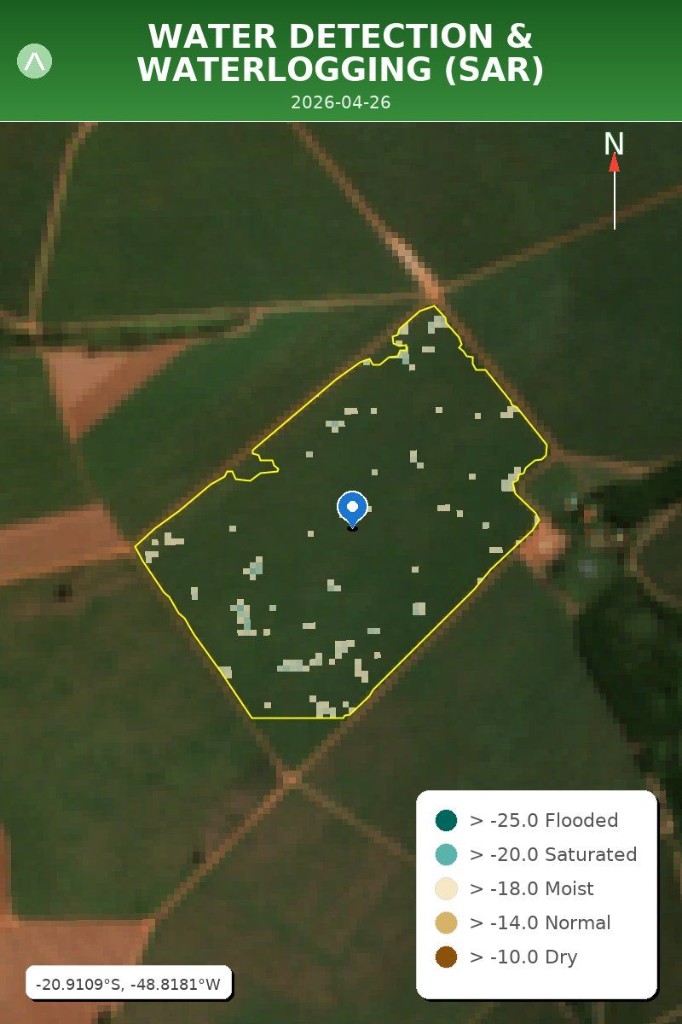
Uses radar imagery to detect standing water even when clouds are present. The sample shows no significant flooding, only about 0.02 hectares of possible standing water.
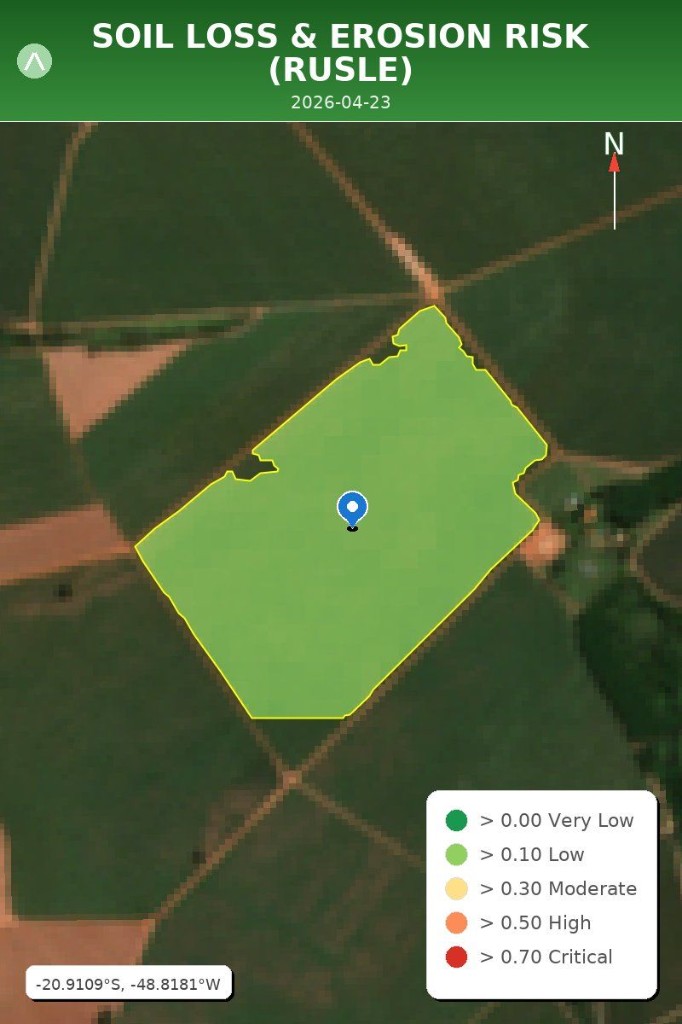
Estimates soil loss risk from slope, rain, cover, and bare soil exposure. The sample shows low erosion risk with protected soil cover.
Extra tools
These tools follow the same habit as the satellite menu: tap an option, follow the next prompt, then read the structured answer. Each block below walks through the steps with sample chat bubbles.
Turn a photo in the furrow into observation, possible causes, scouting ideas, and a quick severity cue.
When you see the analysis menu, tap Analyze Photo. arandu switches to photo mode and explains how to attach your picture.
Use good light, hold the phone steady, and add text such as What is wrong with these leaves? Close-ups beat distant silhouettes when you need symptom detail.
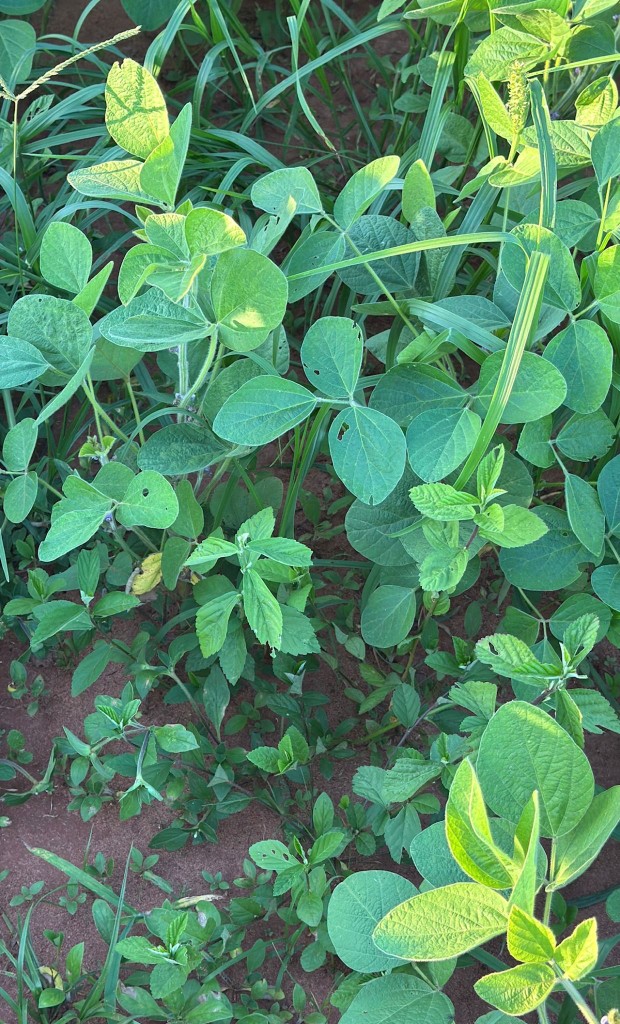
The message summarizes Observation, Possible diagnosis, Recommended actions, and Severity so you can match it with boots-on-the-ground scouting.
One message bundles outlook, rain totals, and farm-planning hints.
Tap Weather Forecast in the analysis menu. arandu answers with a title line, a short conditions summary, and supporting detail when the weather service returns data.
🌤️ Weather Forecast (5 days)
Dry conditions: 0mm total rain expected over the next 5 days.
Scan for spray-safe windows, irrigation timing, wind and temperature alerts, then combine that with what you can see from the field gate.
What to scan first
Start with the headline outlook and total rain, then read spray and irrigation sections before loading equipment.
Settings stay as the last menu option so the first nine stay focused on agronomy.
Tap Change Settings at the end of the analysis menu. That opens field, crop, language, and privacy tools in one place.
You will see your active field recap plus a WhatsApp option menu. Each row does one job—use the guide below if you are unsure which to choose.
You do not always need Change Settings. From the satellite menu you can also type:
Tap Change crops only in settings. arandu shows the crop list in a WhatsApp menu—tap the crop you need. Thresholds and growth-stage hints in later reports follow the crops you pick.
Tap Switch field or Remove field in settings. arandu lists each saved field with area and crops. After a switch, request a report from the main menu; after removal you may need to pick which field stays active.
Delete all my data is irreversible. arandu warns you, asks you to Continue or Cancel on the buttons, then requires the exact confirmation word in your language before erasure starts in the background.